Crop and resize your Aadhaar card for any form
Upload your Aadhaar photo or scanned card, crop it to the size a form asks for, and bring the file down to the right KB. Everything runs on your own device.
Nothing is uploaded.Your Aadhaar image is cropped and resized right here in your browser. It never touches a server, and it disappears the moment you close or reload this page.
Crop & resize your Aadhaar card
How it works
 1
1Upload your image
Choose a JPG or PNG of your Aadhaar card or photo. It loads directly into the tool above; no account or sign-in needed.
 2
2Pick a size
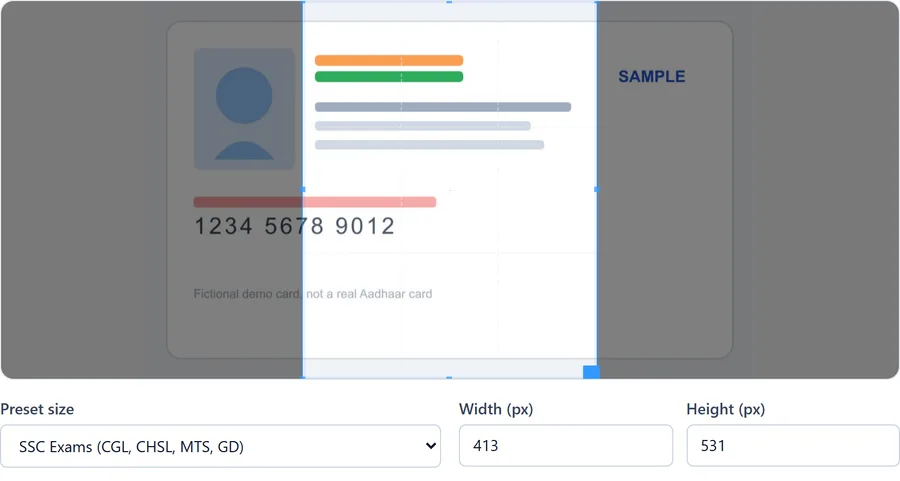
Select a preset for your exam or portal, or type in your own width, height, and target KB.
 3
3Download
The tool saves the cropped, compressed file straight to your device. Nothing is stored on our end because nothing was ever sent to us.
Size guides by exam and portal
Photo and signature requirements are set by each exam board or portal individually, and they're revised most years. These guides list the figures we've verified most recently, with the date we checked them.
SSC Exams (CGL, CHSL, MTS, GD)
Photo: 413×531px, 20-50 KB
Bank Exams (IBPS PO/Clerk, SBI PO)
Photo: 200×230px, 20-50 KB
UPSC Civil Services & other UPSC exams
Photo: 413×531px, 20-200 KB
Railway Exams (RRB NTPC, Group D, JE)
Photo: 320×240px, 30-100 KB
Not sure what any of the pixel and DPI figures mean? Start with the complete Aadhaar size reference.
Frequently asked questions
Is my Aadhaar card image uploaded anywhere?
No. The cropping, resizing, and compression happen inside your browser using JavaScript's Canvas API. The image is never sent to a server, and this site has no image upload endpoint to send it to. You can disconnect from the internet after the page loads and the tool still works.
What size does my Aadhaar photo or scan need to be?
It depends on where you're submitting it. Exam boards, banks, and government portals each set their own pixel dimensions and file size limits, and these change from year to year. Use the preset dropdown for common exams below, or check our size guides for SSC, bank exams, UPSC, and railway recruitment. When in doubt, use the exact figure printed on your application form's instructions page.
Can I use this tool to update my Aadhaar photo with UIDAI?
No. UIDAI does not accept an online photo upload for Aadhaar enrolment or updates; your photo is captured in person at an enrolment centre. This tool is for preparing your existing Aadhaar card image or photo to meet the size requirements of other forms, such as exam applications or KYC uploads.
Is Aadhaar mandatory for every form that asks for it?
Not always. Aadhaar is not a legally mandatory identity document for every application in India, and many forms accept a PAN card, passport, or voter ID as an alternative. If you'd rather not share your Aadhaar, check your specific form's instructions for accepted alternatives before assuming it's required.
Why does my upload keep getting rejected even after resizing?
File size is only one reason for rejection. Glare on the Aadhaar hologram, a folded or creased card, a blurry phone photo, or the wrong file format can all cause a portal to reject an otherwise correctly sized file. See our troubleshooting guide for the most common causes.
About this tool
This site is built and maintained as a focused utility: crop and resize an Aadhaar card image without uploading it anywhere. Read more about who maintains it and how the size figures are checked, or see the privacy policy for the technical detail behind the "nothing is uploaded" claim.